Block Puzzle Brick Blast10.6
Publisher Description
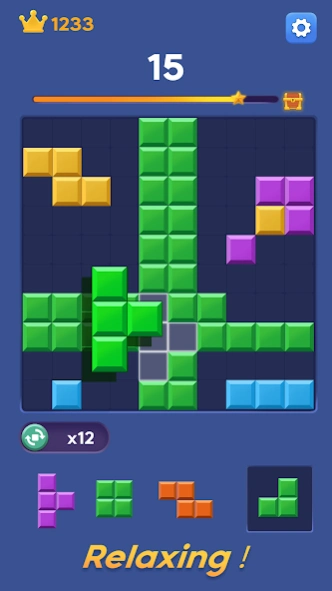

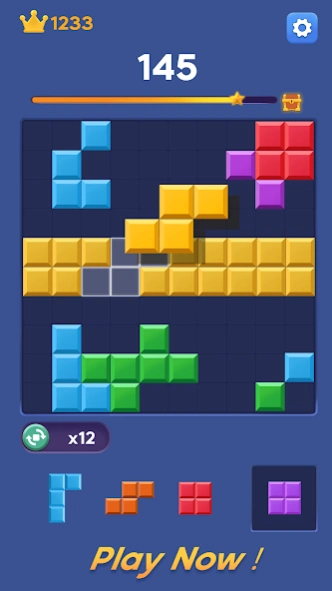
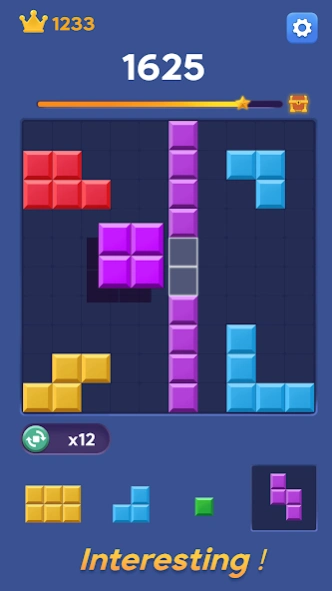
Addictive Block Puzzle Game
Block Puzzle Brick Blast is an addictive Block Puzzle game. With the new Brick style, we developed this Block Puzzle Brick Blast game. This game is the very good for brain training for kid and adult because you need to resolve the puzzle by arranging blocks of Bricks.
Block Puzzle Brick Blast game is easy to play and pleasurable game for all age. The rule is very simple, just place the Brick into the board to destroy full line of Bricks in vertical or horizontal. Once there are no space for the next Bricks, game will be over!
Why do you play Block Puzzle Brick Blast ?
* It is simple but difficult to be a master. By the more time you play, the game is harder!
* Simple and easy-to-view interface with Brick Style
* Game don't need connect to WIFI. It means that you can play offline anywhere.
* You game scene can be saved when exit
How to play Block Puzzle Brick Blast?
* Drag one of three blocks in the bottom to the board and move them around the board
* Place the blocks into the empty space in the board
* Try to fit the blocks in lines. The blocks will be clear and you get the score
Features of game:
* Classic Brick style
* Perfect brainstorming game
* No time limit! No internet required!
* Support phone and tablet devices
Download and enjoy now!
About Block Puzzle Brick Blast
The company that develops Block Puzzle Brick Blast is Hyzap Games Ltd.. The latest version released by its developer is 10.6.
To install Block Puzzle Brick Blast on your Android device, just click the green Continue To App button above to start the installation process. The app is listed on our website since 2026-10-08 and was downloaded 1 times. We have already checked if the download link is safe, however for your own protection we recommend that you scan the downloaded app with your antivirus. Your antivirus may detect the Block Puzzle Brick Blast as malware as malware if the download link to com.blockpuzzle.jewelsgems is broken.
How to install Block Puzzle Brick Blast on your Android device:
- Click on the Continue To App button on our website. This will redirect you to Google Play.
- Once the Block Puzzle Brick Blast is shown in the Google Play listing of your Android device, you can start its download and installation. Tap on the Install button located below the search bar and to the right of the app icon.
- A pop-up window with the permissions required by Block Puzzle Brick Blast will be shown. Click on Accept to continue the process.
- Block Puzzle Brick Blast will be downloaded onto your device, displaying a progress. Once the download completes, the installation will start and you'll get a notification after the installation is finished.
